Showing posts with label Graphics. Show all posts

Sunday, September 5, 2010

3 Photoshop Brushes


http://i27.tinypic.com/153qkqd.jpg
Photoshop Brushes
3 ABR | Smoke and Clouds | Skin Care | pencil brush | 2.58 MB

Unzip the brushes to any folder. From the Brushes Palette in Photoshop, click the small arrow in the upper right corner of the palette, and choose load brushes, then navigate to the ABR file on your computer. The brushes will be added to the current brushes. If you put the ABR brush set files in the Adobe Photoshop\Presets\Brushes folder, they will appear on the brush palette menu and you won't have to browse for them.

Download
http://www.sharingmatrix.com/file/12064769/3_Photoshop_Brushes.rar
http://www.fileserve.com/file/nM7e2v9
Read more >>

Advanced Photoshop Magazine Issue 45

Read more >>

Saturday, December 5, 2009

Adobe Photoshop Premium Video Tutorials Collections


Adobe Photoshop Premium Video Tutorials Collections


 Adobe Photoshop Premium Tutorial To improve your skill, contain lists of tutorials are:
Photoshop Premium Video Tutorials Collections\Lightroom_Borders.mov
Photoshop Premium Video Tutorials Collections\Moving_Background.mov
Photoshop Premium Video Tutorials Collections\MultiStrokes.mov
Photoshop Premium Video Tutorials Collections\Overlaying_Text_on_Phots.mov
Photoshop Premium Video Tutorials Collections\Panos.mov
Photoshop Premium Video Tutorials Collections\Pattern_Maker.mov
Photoshop Premium Video Tutorials Collections\PDS_to_Flash.mov
Photoshop Premium Video Tutorials Collections\penbasics1.mov
Photoshop Premium Video Tutorials Collections\penbasicspart2.mov
Photoshop Premium Video Tutorials Collections\photodrawing.mov
Photoshop Premium Video Tutorials Collections\Photomerge.mov
Photoshop Premium Video Tutorials Collections\Photos_into_Rounded_Corners.mov
Photoshop Premium Video Tutorials Collections\PhotoshopCD_pth.mov
Photoshop Premium Video Tutorials Collections\Pinup_Girl.mov
Photoshop Premium Video Tutorials Collections\poster_technique.mov
Photoshop Premium Video Tutorials Collections\Put_Image_in_Text.mov
Photoshop Premium Video Tutorials Collections\Put_Text_around_object.mov
Photoshop Premium Video Tutorials Collections\Quick_Wood_Grain.mov
Photoshop Premium Video Tutorials Collections\shadow_highlight.mov
Photoshop Premium Video Tutorials Collections\Smart_Filters.mov
Photoshop Premium Video Tutorials Collections\smart_picture_package.mov
Photoshop Premium Video Tutorials Collections\spiderman.mov
Photoshop Premium Video Tutorials Collections\Stylized_Comic_Book_Effect.mov
Photoshop Premium Video Tutorials Collections\swatches.mov
Photoshop Premium Video Tutorials Collections\Text_Textured_Effect.mov
Photoshop Premium Video Tutorials Collections\turn on lights.mov
Photoshop Premium Video Tutorials Collections\Water_Effect.mov
Photoshop Premium Video Tutorials Collections\Edge_Brush.mov
Photoshop Premium Video Tutorials Collections\extendimage.mov
Photoshop Premium Video Tutorials Collections\extra_canvas.mov
Photoshop Premium Video Tutorials Collections\Fixing_Sections.mov
Photoshop Premium Video Tutorials Collections\Folds_and_Creases.mov
Photoshop Premium Video Tutorials Collections\frameart1.mov
Photoshop Premium Video Tutorials Collections\frameart2.mov
Photoshop Premium Video Tutorials Collections\Gel_Effect.mov
Photoshop Premium Video Tutorials Collections\Gold_Text.mov
Photoshop Premium Video Tutorials Collections\Gradient_Map.mov
Photoshop Premium Video Tutorials Collections\Gradients_from_Web_Backgrounds.mov
Photoshop Premium Video Tutorials Collections\gritty_effect.mov
Photoshop Premium Video Tutorials Collections\Highlight_Blowout.avi
Photoshop Premium Video Tutorials Collections\Images_in_Text.mov
Photoshop Premium Video Tutorials Collections\Kuler.mov
Photoshop Premium Video Tutorials Collections\Learning_the_Curves_Dialog_pt1.mov
Photoshop Premium Video Tutorials Collections\Learning_the_Curves_Dialog_pt2.mov
Photoshop Premium Video Tutorials Collections\Light Trees.mov
Photoshop Premium Video Tutorials Collections\Moving_Presets_from_CS2_to_CS3.avi
Photoshop Premium Video Tutorials Collections\121506_multiboxdesign.mov
Photoshop Premium Video Tutorials Collections\20080128_doverfield-text.mov
Photoshop Premium Video Tutorials Collections\20080208_custom_stitch_effect.mov
Photoshop Premium Video Tutorials Collections\20080215_animated_through_filters.mov
Photoshop Premium Video Tutorials Collections\20080218_rotoscoping_photoshop.mov
Photoshop Premium Video Tutorials Collections\20080222_softenskin.mov
Photoshop Premium Video Tutorials Collections\20080304_rc-using-clone-source.mov
Photoshop Premium Video Tutorials Collections\addinginterest.mov
Photoshop Premium Video Tutorials Collections\Auto_Align.mov
Photoshop Premium Video Tutorials Collections\Camera_Raw.mov
Photoshop Premium Video Tutorials Collections\clarity_in_Lightroom.mov
Photoshop Premium Video Tutorials Collections\Creating_B&W_Image.mov
Photoshop Premium Video Tutorials Collections\Creative_Presentation.mov
Photoshop Premium Video Tutorials Collections\CS3_Rollovers.mov
Photoshop Premium Video Tutorials Collections\Designing_with_Smart_Objects.mov
Photoshop Premium Video Tutorials Collections\Designing_with_Video.mov
Photoshop Premium Video Tutorials Collections\Dramatic_Effect.mov
Photoshop Premium Video Tutorials Collections\drawing_in_photoshop.mov
Photoshop Premium Video Tutorials Collections\083106_vegaslights.mov
Photoshop Premium Video Tutorials Collections\1005207_animatedtexteffects.mov
Photoshop Premium Video Tutorials Collections\10062006_lighting_effect.mov
Photoshop Premium Video Tutorials Collections\101907_smartobjecteffects.mov
Photoshop Premium Video Tutorials Collections\110306_blem.mov
Photoshop Premium Video Tutorials Collections\110706_photoshopdiet.mov
Photoshop Premium Video Tutorials Collections\111006_softglow.mov
Photoshop Premium Video Tutorials Collections\111706_beadsweateffect.mov
Photoshop Premium Video Tutorials Collections\120506_favthings.mov
Photoshop Premium Video Tutorials Collections\120806_wildwestgrunge.mov
Photoshop Premium Video Tutorials Collections\122906_designingwithwarp.mov
Photoshop Premium Video Tutorials Collections\20071207_displaced.mov
Photoshop Premium Video Tutorials Collections\20071214_workflow.mov
Photoshop Premium Video Tutorials Collections\20080104_layermasking101.mov
Photoshop Premium Video Tutorials Collections\20080108_zoomify.mov
Photoshop Premium Video Tutorials Collections\20080111_change_color.mov
Photoshop Premium Video Tutorials Collections\20080114_rollover_animation.mov
Photoshop Premium Video Tutorials Collections\20080118_animated_effect.mov
Photoshop Premium Video Tutorials Collections\20080118_ghostedman.mov
Photoshop Premium Video Tutorials Collections\010207_roomlight.mov
Photoshop Premium Video Tutorials Collections\010207_thirds.mov
Photoshop Premium Video Tutorials Collections\011207_animatedglare.mov
Photoshop Premium Video Tutorials Collections\011707_layershortcuts.mov
Photoshop Premium Video Tutorials Collections\040306_animation.mov
Photoshop Premium Video Tutorials Collections\040306_blendif.mov
Photoshop Premium Video Tutorials Collections\062306_3dbox.mov
Photoshop Premium Video Tutorials Collections\063006_extend-a-photo.mov
Photoshop Premium Video Tutorials Collections\070506_burntin.mov
Photoshop Premium Video Tutorials Collections\070606_Shadows1.mov
Photoshop Premium Video Tutorials Collections\071307_halfsmudgebrush.mov
Photoshop Premium Video Tutorials Collections\071406_shadows2.mov
Photoshop Premium Video Tutorials Collections\072007_smartobj.mov
Photoshop Premium Video Tutorials Collections\072806_pixelart_2.mov
Photoshop Premium Video Tutorials Collections\081106_pixelart.mov
Photoshop Premium Video Tutorials Collections\081806_createstone.mov
Photoshop Premium Video Tutorials Collections\091506_layermasktips.mov
Photoshop Premium Video Tutorials Collections\092107_designwithgrids.mov
Photoshop Premium Video Tutorials Collections\092206_removehalo.mov
Photoshop Premium Video Tutorials Collections\100206_fadedphoto.mov
Photoshop Premium Video Tutorials Collections\101207_shadhighighlight.mov
Photoshop Premium Video Tutorials Collections\101306_lightingpart2.mov
Photoshop Premium Video Tutorials Collections\101306_stagelights.mov
Photoshop Premium Video Tutorials Collections\101906_histogrampart2.mov
Photoshop Premium Video Tutorials Collections\102706_sidelighteffect.mov
Photoshop Premium Video Tutorials Collections\110207_spotlight.mov
Photoshop Premium Video Tutorials Collections\2_Way_Street_Photoshop_and_Illustrator.mov
Photoshop Premium Video Tutorials Collections\3D_Tubes.mov

Splitted each files into 150MB

Download
http://www.storage.to/get/ryVzhcf5/PAdPVTpt01nemesismediascom.rar
http://www.storage.to/get/BIaS4uio/PAdPVTpt02nemesismediascom.rar
http://www.storage.to/get/ZNBFcKap/PAdPVTpt03nemesismediascom.rar
http://www.storage.to/get/cHUNKHbL/PAdPVTpt04nemesismediascom.rar
http://www.storage.to/get/pUZ35Im6/PAdPVTpt05nemesismediascom.rar
http://www.storage.to/get/KfFD8ckI/PAdPVTpt06nemesismediascom.rar
http://www.storage.to/get/ldm39Gd4/PAdPVTpt07nemesismediascom.rar
http://www.storage.to/get/y6LOh07Y/PAdPVTpt08nemesismediascom.rar
http://www.storage.to/get/8aaeqwS2/PAdPVTpt09nemesismediascom.rar
http://www.storage.to/get/94e8QyNf/PAdPVTpt10nemesismediascom.rar
http://www.storage.to/get/zhI02nUY/PAdPVTpt11nemesismediascom.rar
Read more >>

Wednesday, December 2, 2009

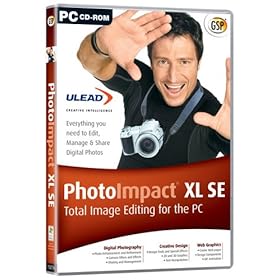
Ulead PhotoImpact X3 full version

http://ecx.images-amazon.com/images/I/515K85XGPWL._SL500_AA280_.jpgPhotoImpact® X3
Combines full-featured photo editing with inspiring photo projects and amazing digital art to make digital photography and image creativity fun, fast and easy.

Easy & Fast ExpressFix Mode
Automated enhancements and easy-to-understand options put the tools you need at your fingertips!
  • Instantly fix exposure, color, and composition
  • Beginners like the simplicity, experienced users like the efficiency!
Take Your Photos to New Places
Use easy wizards to create fun photo projects and gifts. Choose from over 200 customizable templates for a wide range of ways to share your pictures.
  • Collages
  • Comic strips
  • Calendars
  • Greeting cards
Create Amazing Digital Art
Paint realistic looking clouds with the cloud pen, Enhance your photos with creative filters, and draw and paint like a pro.
Corel® Painter™ Essentials 3 Full Version
  • A complete home art studio - for novices and experts alike.
  • Breathtaking Natural-Media® watercolor and oil-paint brushes behave just like the real thing!
  • Automatically turn your photos of kids, travel, or weddings into stunning paintings – in 3 easy steps!
Graphics Tools for Video Enthusiasts
If you’re into creating video, you also need tools for photos and graphics
  • Slideshow Prep Wizard - Make sure your photos look their best in a DVD slideshow.
  • DVD Content Sets - Design and print DVD labels and case covers that match menus in Ulead® DVD MovieFactory® and VideoStudio®.
  • DVD Menu Maker Plug-in included – create your own completely custom DVD menus.
BONUS! Corel® MediaOne™ Plus* Digital Media Management
Keep track of all your digital images with this complete media management suite. Import, tag and sort your photos and video, and find any image fast.
  • Create virtual groups, or “Smart Collections” to keep your photos organized.
  • Add descriptions and tags, to retrieve images individually or in groups.
  • Create video slideshows to send to friends and family.
Download:


Mirror1:

Mirror2:

Mirror3:
http://www.mediafire.com/?cwtubzlwybd
http://www.mediafire.com/?6jlb5vewdvo
Read more >>

Thursday, November 19, 2009

Free Software for Add WaterMark Images

Sometimes, we need to put the watermark text on images quickly, there are plenties of options either use Adobe Photoshop or else. But, it's takes time. Here is the free customize tool that have an excellent features. It is freeware and portable does not required any installation. This software named as WaterMark Image Program. It can add digital Watermarks to all your images, photos and pictures in a batch.


The program can also resize the images before the digital watermark is added.When creating the watermark, you can use either text or another picture as the source of the watermark.If you want to add the watermark to the background, you can set the logo or the text to be more or less transparent.

Features of WaterMark
  • Watermark digital images, pictures, photos
  • Resize images while watermarking the image
  • Multi threaded
  • Maintain directory structure in destination directory or combine all watermarked images in one directory
  • Skip or overwrite existing watermarked images in destination directory
  • Automatically check for new version of watermark image
Read more >>

Wednesday, July 1, 2009

Website Layout Maker Ultra Edition v2.4.4.0


Website Layout Maker is a program for make a website. It's not just program, it's totally new paradigm itself.
There is 3 big reasons why we need to choose Website Layout Maker. First, Most of HTML-editor and website making tools have separated mode for make a website. And those programs need to see preview after make a website.
But Website Layout Maker makes a website with real-time preview. You don't need execute web-browser after make a website. Second, the website made by Website Layout Maker provides uniform to most common web-browsers. So, you can save your valuable times to test compatibility with various web-browsers. Third, Website Layout Maker was made a concept of layout based div. You will experience powerful features with Website Layout Maker.
Main Features:
� Create a website easily with powerful layout tool
� Support drag and drop when editing layouts
� Each layout based div tag - easy to understand and edit
� Generate CSS style for shape and operation
� Provides powerful background options for each layout
� Provides powerful border options for each layout
� Provides more detail options for each layout
� Provides various pre-made themes
� Provides dynamic preview for better design
� Provides uniform for the most common browsers
� The HTML codes of layout are based standard div spec


http://2sharefiles.com/icb0a07fvp8w/WEBLAYMAKER.UEDIT.2.4.4.0.rar.html
Read more >>

Flash.Banner.Creator.v1.10 Plus Templates

Make flash slideshow banner with your own photos!
Flash Banner Creator is an easy-to-use slideshow banner maker.
With Flash Banner Creator, you can create animated and professional-looking flash slideshow banner in minutes.

You can use your own photos and music, and combine them with animated transition effects to create professional Flash ads and Flash banners.
Flash Banner Creator integrates more than fifty cool Flash templates to help you make a stunning Flash banner in minutes with few clicks.
By using a friendly interface, you can generate your slideshow banner within steps.


Simply follow the tabs at the top of the program to go step-by-step in the image making banner.
When you have completed, just publish it in SWF and HTML format and add it to your webpage.


Download
Read more >>

Themes, Backgrounds and Gadgets for Windows 7

For the last few days, Windows 7 is just about the only OS anyone has been talking about. This is probably the best time for anyone to share the love and offer any sort of interesting downloadable goodies for Windows 7. I have just found out that Microsoft itself has released a number of
themes, Wallpapers and Gadgets for Windows 7. You can download them right away from their official website free of cost.

Themes


windows7-themes-official


Clicking Download will download and install your chosen theme. You can revert to your original settings in the Personalization Control Panel. Once a theme is downloaded simply double click on the downloaded theme file, the theme will be installed automatically.

Desktop Backgrounds


windows-7-bgs


The backgrounds on the official Microsoft website vary from region to region and can be downloaded in high-quality.

Desktop Gadgets


windows7gadgets


As for now, only a limited number of desktop gadgets are available for Windows 7 but with time, the number shall increase.


Download
Windows 7 Wallpapers,Themes and Gadgets

Read more >>

Sunday, June 21, 2009

Website Ripper Copier 3.0.0.0

http://www.tensons.com/products/websiterippercopier/images/screenshots/wrc.gif
Website Ripper Copier 3.0.0.0 | 1.34 MB
Website Ripper Copier is an award-winning, all-purpose, high-speed Internet tool for getting any data from the Internet easily. It can download all or part of a website to your computer for offline browsing, grab site files of certain sizes and types (picture, movie, MP3, PDF, Flash, document, archive), teleport files as a download manager with resumption support, and mirror sites. Plus, it is a sitemap explorer and tabbed antipop-up Web browser.

Product Benefits:
-- Copy Web sites to your computer for offline browsing
-- Grab files of certain sizes and types from Web sites
-- Download huge number of files from the Web with resumption support
-- Create exact copies or mirrors of Web sites
-- Explore link structures of Web sites
-- Tabbed Web browser with pop-up controls
-- Access copied Web sites anywhere without an Internet connection
-- Save useful or important Internet information for later use easily
-- Browse Web pages at the fastest speed
-- Lower your risks of getting viruses or being spying
-- No more annoying pop-ups
-- Save you a tremendous amount of valuable time

Product Features:
-- Easy to use: The program is designed to everyone and it has a friendly and easy user interface. You can start running a new project with a few easy steps!
-- Reliability: The program can resume broken downloads from the HTTP, HTTPS and FTP connections. You may pause a running project and run it later on. It will resume from the point where it's previously stopped. It's extremely useful when downloading large-size Web resources. Furthermore, the program gives you the power to retry any completed or failed Web pages or downloads.
-- Flexibility: You can view any project properties and even job properties at any time. Plus, you can save and run any projects at any time.
-- Controllability: You can edit or delete whatever jobs whenever you want. You can also modify any project properties at any moment. Hence, you have full control over your projects.
-- Extensibility: You can define references to the page parser of the program, such as the associated file-extensions of parsable pages and link-tag collection. -- This feature enables you to extend the power of the program to adapt the rapid changes of the Internet!
-- HTTP, HTTPS and FTP protocols support
-- Web authentication support: You can retrieve files from password protected Web sites.
-- Web cookies support: The program can accept and return Web cookies; it can also import Internet Explorer cookies. In addition, it allows you to define your own cookies!
-- Web proxy servers support
-- Web connection settings and server overload protection: You can define Web connection settings, such as number of concurrent connections, number of retries and pause between connections which can prevent overloading Web servers.
-- Powerful Web page and download filters: The program offers powerful Web page filters and download filters (Internet resources filtration with exploration depth, server names, URL descriptions, file names, file types, file sizes and more) to increase the accuracy of the retrieval of your desired Web resources.
-- File Organizer: The program can download and well organize your needed Web resources to your computer. You may specify how files are organized (save all downloaded resources under one directory, organize them by their servers names or file extensions, or save them with their directory structures preserved).
-- Project information and statistics: The program shows you project information and statistics in details. You know how your projects are going at any moment.
-- Program and project automation: The program offers you automation options to the program and your projects, such as auto-run, auto-save, auto-shutdown, auto-exit and more.
-- True Multi-threaded
-- Password protection: You can password protect your projects; it prevents unauthorized people from running your projects.
-- File name pollution control: You can specify how to handle Web resources that share the same file names. The program can automatically assign unique names to name-conflicting files, which can maximize the amount of Internet resources to your projects.
-- Unique retrieval: The program keeps a retrieval history to ensure each Internet resource is retrieved only once, which can eliminate redundant works!
-- Favorite URLs and file types: You can define your favorites (Internet URLs and file types) to speed up project creation. ..


Read more >>

Face On Body Pro 2.4

http://i43.tinypic.com/1sf72p.jpg
Face On Body Pro 2.4 | 1.5 Mb Some things will always be funny. Like dancing animals, splitting pants, toilet humor - and, of course, your boss’s head on a chick’s body. Thus the birth of FaceOnBody. FaceOnBody is the only software in the universe designed specifically to put any face on any body. With any Windows-based system, you can transport the faces of your friends, classmates and co-workers to the most glamorous, sexy, seedy, hilarious places you can imagine. All you need is your digital photos and a little imagination. FaceOnBody does the rest. FaceOnBody lets you take your digital photographs to a whole new level. FaceOnBody is the absolute easiest way to transform all those digital photos of friends and family into truly hilarious images you can share. FaceOnBody is super smart yet super simple to use. In just six simple steps, you can create your own FaceOnBody pictures. System Requirements: • Windows 98, 2000, ME or XP • Pentium processor with 32 MB of RAM • 20 MB free hard disk space How to crack it Install FOB_Install_FB024.exe. After installation copy patcher from the Crack folder to the installed folder of FaceOnBody Pro. Execute patcher and patch file FaceOnBody.exe. Launch FaceOnBody Pro and click Help then Activate FaceOnBody Pro. Now use any code for the Main Code and click OK. Reopen Activation and now enter in any Pro Code and click OK. You now have a fully registered version of FaceOnBody Pro! Make sure you have done the Main Code and Pro Code separate and not at the same time! Download


http://rapidshare.com/files/197046584/Face_On_Body_Pro.v2.4.rar
Read more >>

Wedding Album Maker Gold v2.96


Create amazing DVD, VCD slideshows from your wedding photos, music - and burn them directly to a DVD or CD disc. Your family and friends can play your wedding slideshow discs on their TV with a DVD player, or on their computer. With Wedding Album Maker, you'll create personalized discs that are as easy to use as an ordinary DVD. With more than 260 transition effects, you can easily share your love story and excitement of your wedding day with your friends and family.

With a few minutes of work, you'll have an eye-catching slide show that will run on nearly any DVD players. Wedding Album Maker supports over 260 amazing transition effects with Pan&Zoom effect. It also supports Art-clips for each photo slide which adds amazing special effects for your wedding slideshow.
Amazing easy-to-use software helps you make wedding photo album and make photo video DVD disc playable on TV with DVD player.

If you are like most people these days, you've got thousands of digital photos stored on your PC and Flash cards. Wouldn't it be nice if you could easily create a cool slide show and view it on your TV with family and friends.

Using this simple tool you can create multiple photo album collections, add transitions between your photos, add background music, and burn CD or DVD photo video discs playable on TV.

It's one of the most special days in your life. But the time leading up to it can be one of the most stressful. Now, you can enjoy your wedding photos on TV in your living room with your friends, family. You can share your memorable moments by sending your wedding DVD discs to your friends, family who cannot attend your wedding.

After all family comes first !

Platform: Windows 98, ME, NT, 2000, XP ,Vista

Read more >>

Nvidia pure Video Retail


"Nvidia Pure video" this is the only version
. you will see posts with name Nvidia pure video Decoder. Its the same thing so
don't get confused and try to get its codec or

something.........it sthe only version available........THANKS

Added a new link

Read more >>